Record anything
system, mic, or both.
Mixed into one pristine file. One shortcut to start, same to stop. Lives quietly in your tray when you close it.
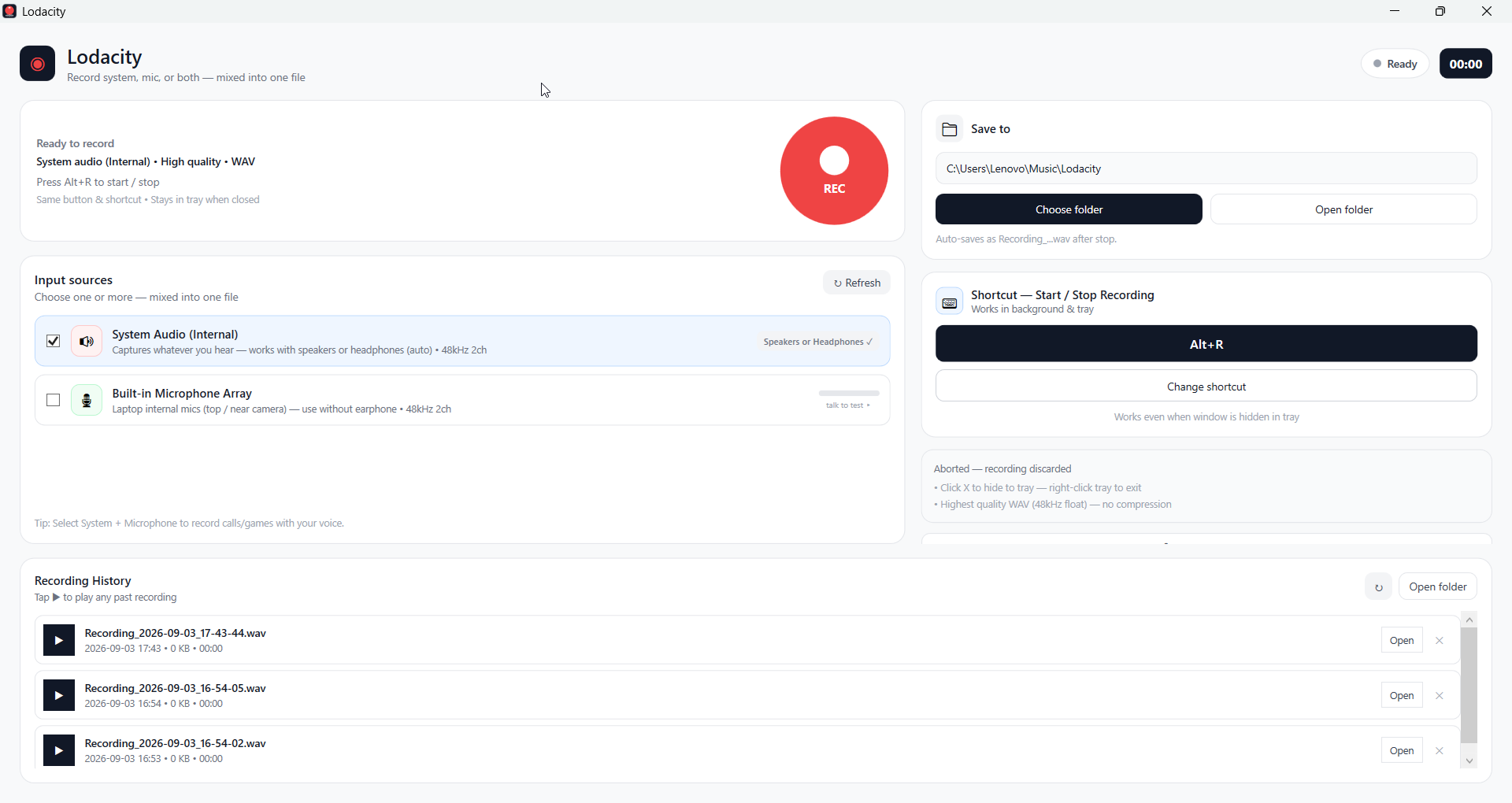
Feel Lodacity, full-screen.
Scroll, hover, read every pixel — this is the real app at 880×560, not a mock. When you’re ready, it’s one download away.
Everything you need, nothing you don’t.
Same clean language as the app — white cards on a soft canvas, one red action, no clutter.
System + Mic, together
Choose System Audio (Internal) — whatever you hear on speakers or headphones — plus any microphone. Pick one or more, they’re mixed into one file.
One shortcut, both ways
Default Alt+R (change it to anything). Press to start, same to stop — works even when the window is hidden in the tray.
Know which mic is which
Built-in Microphone Array vs Headset / Earphone Microphone with live green bars — talk to test ▸ and see instantly.
History that plays
Every save appears below as Recording_2026-09-03_...wav with date, size, duration. Tap ▶ to play right there, Open or ✕ to delete.
Abort, not just stop
Hit ✕ Abort next to the timer while recording — it discards the file, no leftovers. For when you hit record too early.
Stays out of your way
Close → hides to tray with one balloon tip. More settings holds Start with Windows — hidden by default to keep the main screen clean.
How it works
Three clicks, then it’s invisible.
Pick inputs
Check System Audio (Internal) for “whatever you hear” (speakers or headphones, auto) and tick your mic. Green bars confirm you picked the right one.
Hit REC or your shortcut
Big red REC → STOP, timer counts. The same shortcut works from any app. ✕ Abort sits right by the timer where your eyes already are.
Find it in Music/Lodacity
Auto-saved as Recording_2026-09-03_...wav (high-quality 48kHz float). Play from Recording History or Open folder.
Download Lodacity 1.0
Small installer (2.3 MB). Checks for .NET 8 Desktop Runtime and downloads it from Microsoft only if you don’t already have it. No 162MB bundle needed.
windows sound recorder\Lodacity-Setup-1.0.0.exe